
3D modeling, sculpting and animation for iPad
Yumi3D
A full 3D studio for iPad, built on a custom Metal viewport. Model, sculpt, texture, rig, animate, simulate and render in one app, made for Apple Pencil and touch. One price, everything included: no subscription, no account, no ads.
 $29.99 · No subscription · iPad with M1 or later, iPadOS 18 or later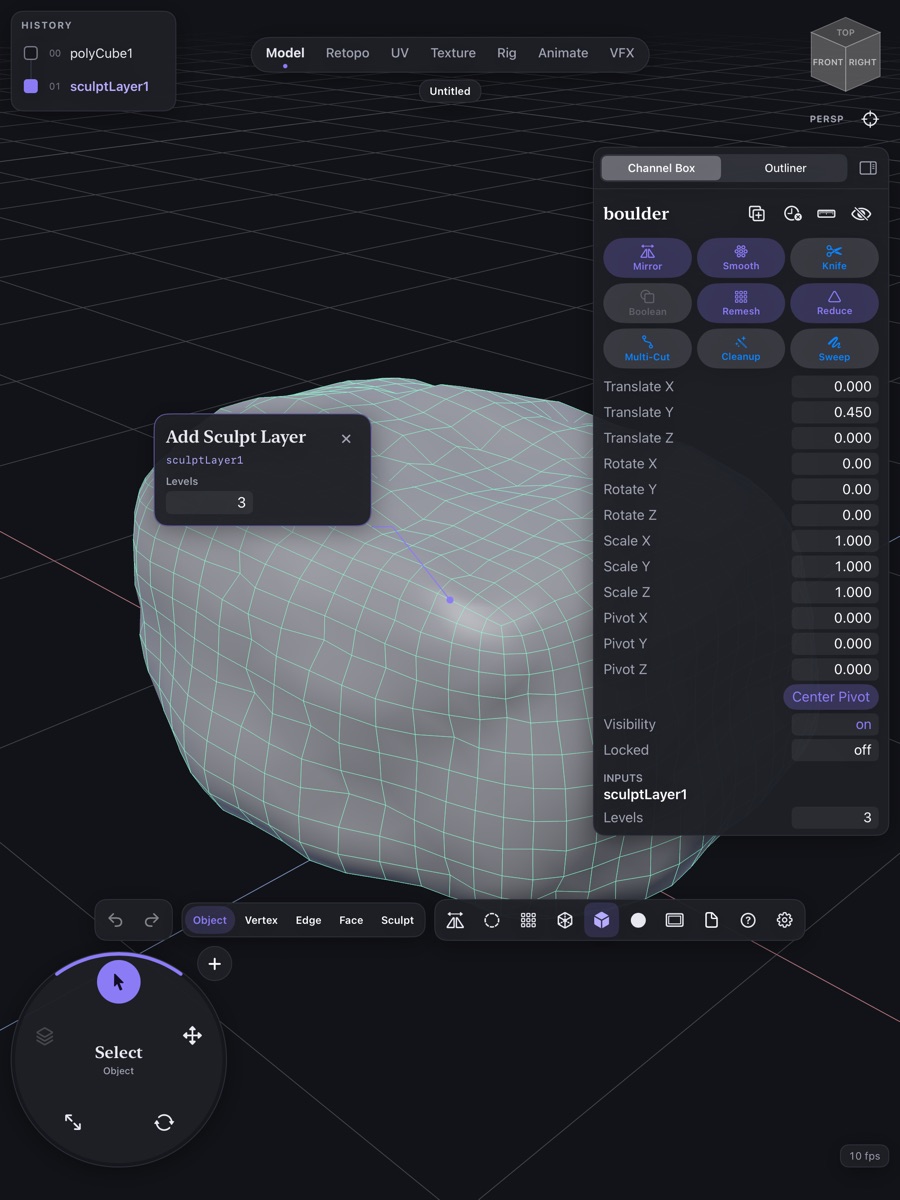
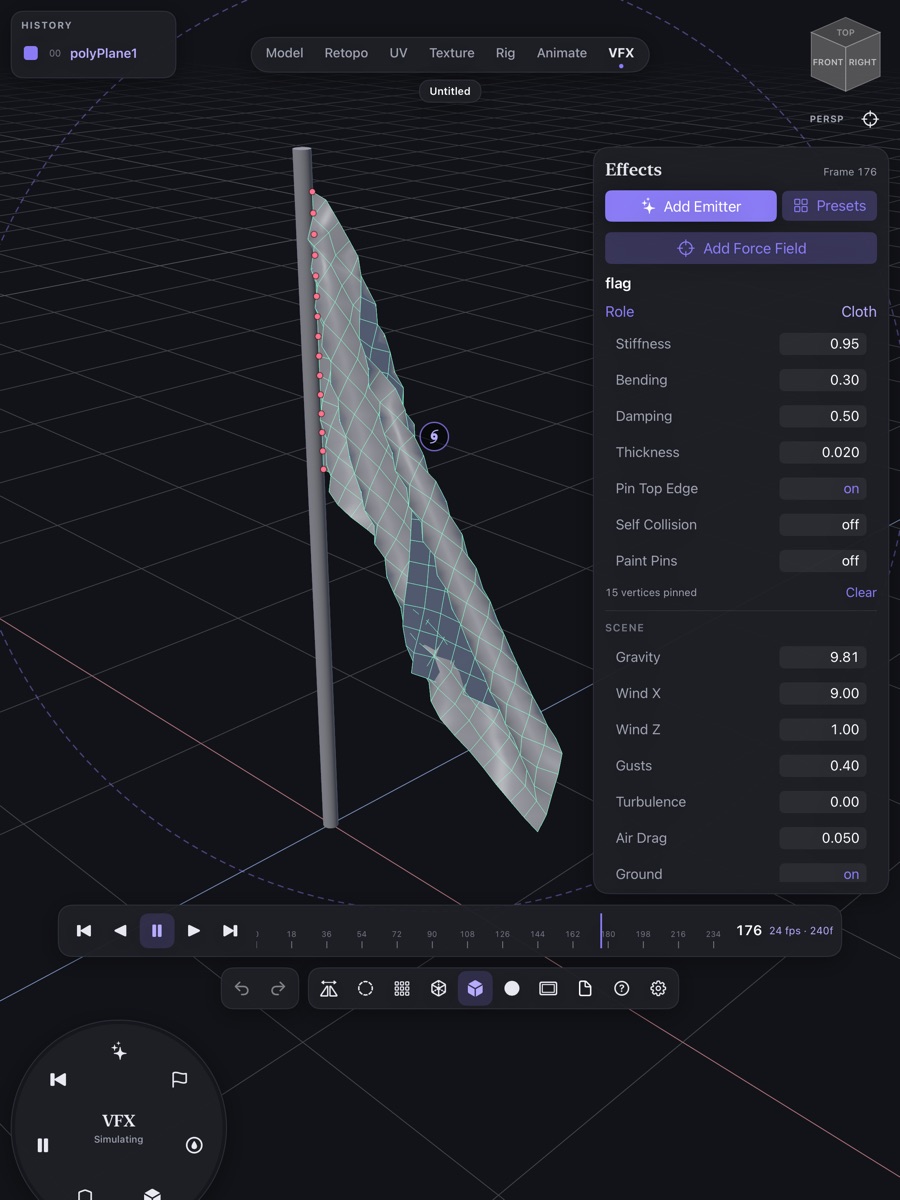
Every step, one scene
Switch workspaces with the tabs at the top of the screen. Your scene stays the same in every one, from the first sculpt to the finished animation.
- ModelPrimitives, 3D text, Bezier curves, Pencil-drawn sweeps and lofts, bevels, and sculpting with dynamic topology.
- RetopoDraw clean quad topology over a sculpt.
- UVMark seams with a stroke, unwrap, pack islands and lay out UDIM tiles.
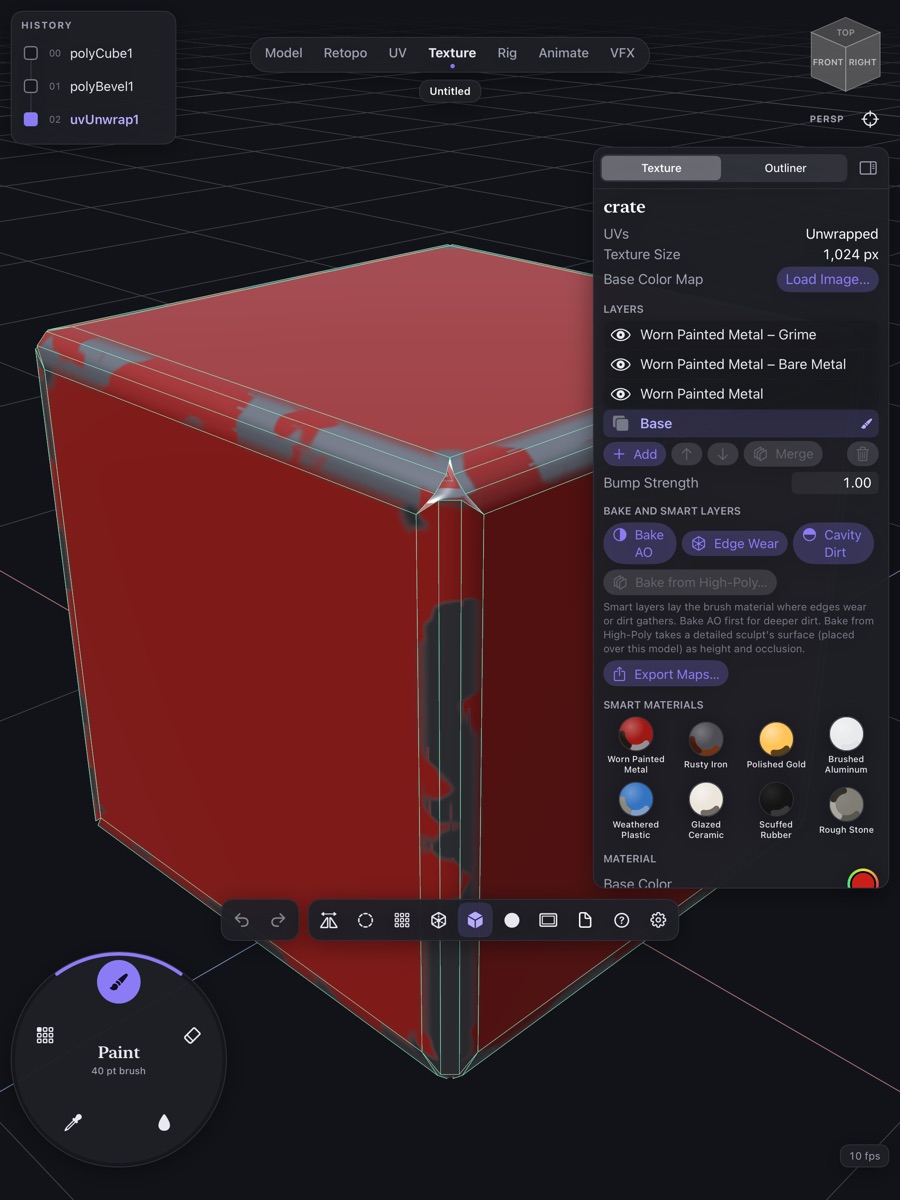
- TexturePaint PBR materials in layers, add smart materials, bake and paint through stencils.
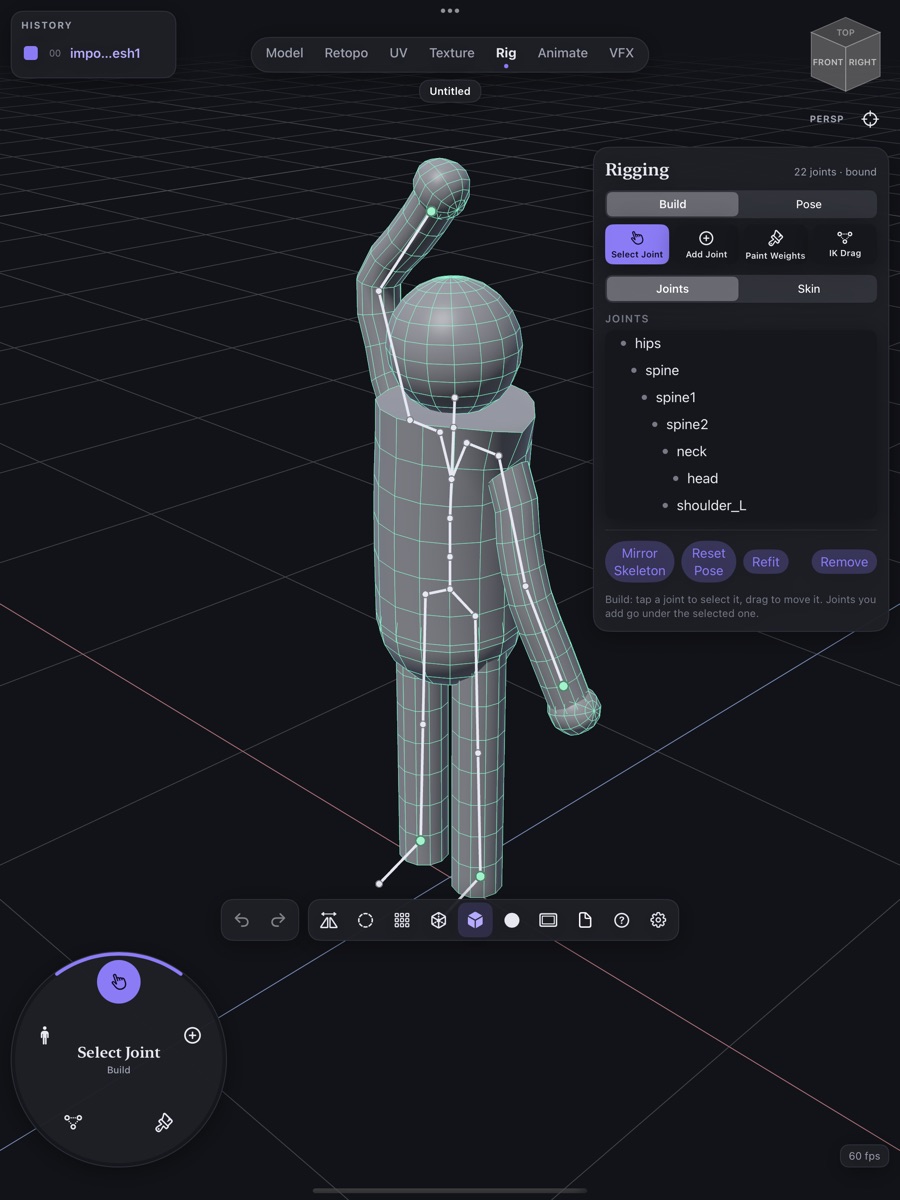
- RigFit a humanoid skeleton from a few markers, then bind and paint weights.
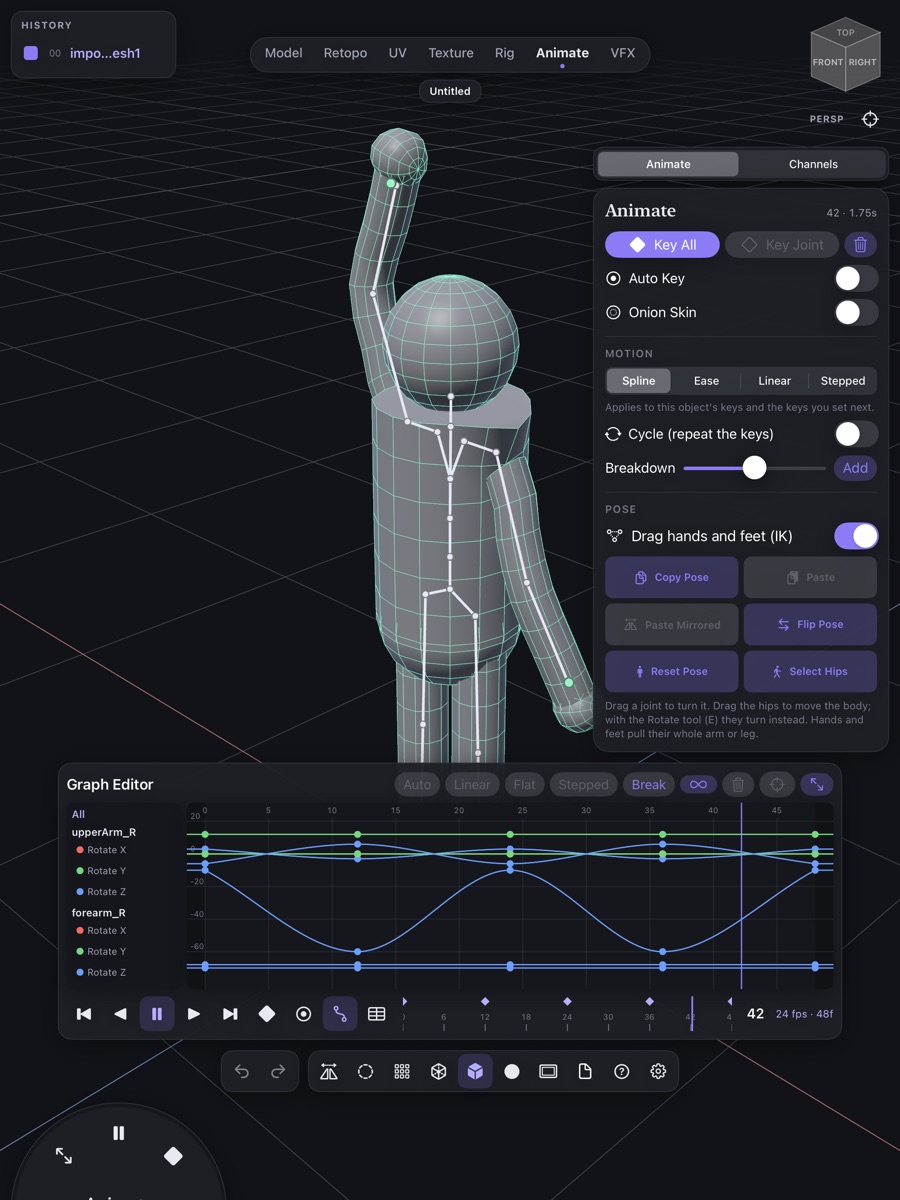
- AnimateAuto key, onion skin, a dope sheet, a graph editor and IK posing.
- VFXParticles, cloth, soft and rigid bodies, colliders and force fields.
Sculpt in detail
Pressure-sensitive brushes with masking, subdivision levels and sculpt layers, and dynamic topology that adds detail where you stroke. Construction history lets you change a shape's settings after later edits.
Fits your pipeline
Import FBX, glTF, OBJ, USD, STL and PLY. Export FBX, glTF, USD, USDZ, OBJ and STL with skeletons, skin weights and animation, plus texture maps for any renderer.
Render and share
Render still images, turntables and animation videos. Bake simulations to keys so cloth and particles export with your animation.
Made for iPad
Apple Pencil pressure, hover and squeeze, with full finger support. Keyboard shortcuts, trackpad and mouse. Open a separate project in each Stage Manager window.
Never lose a sculpt
Autosave and crash recovery keep your work safe. Projects live in the Files app and iCloud Drive.
Learn from samples
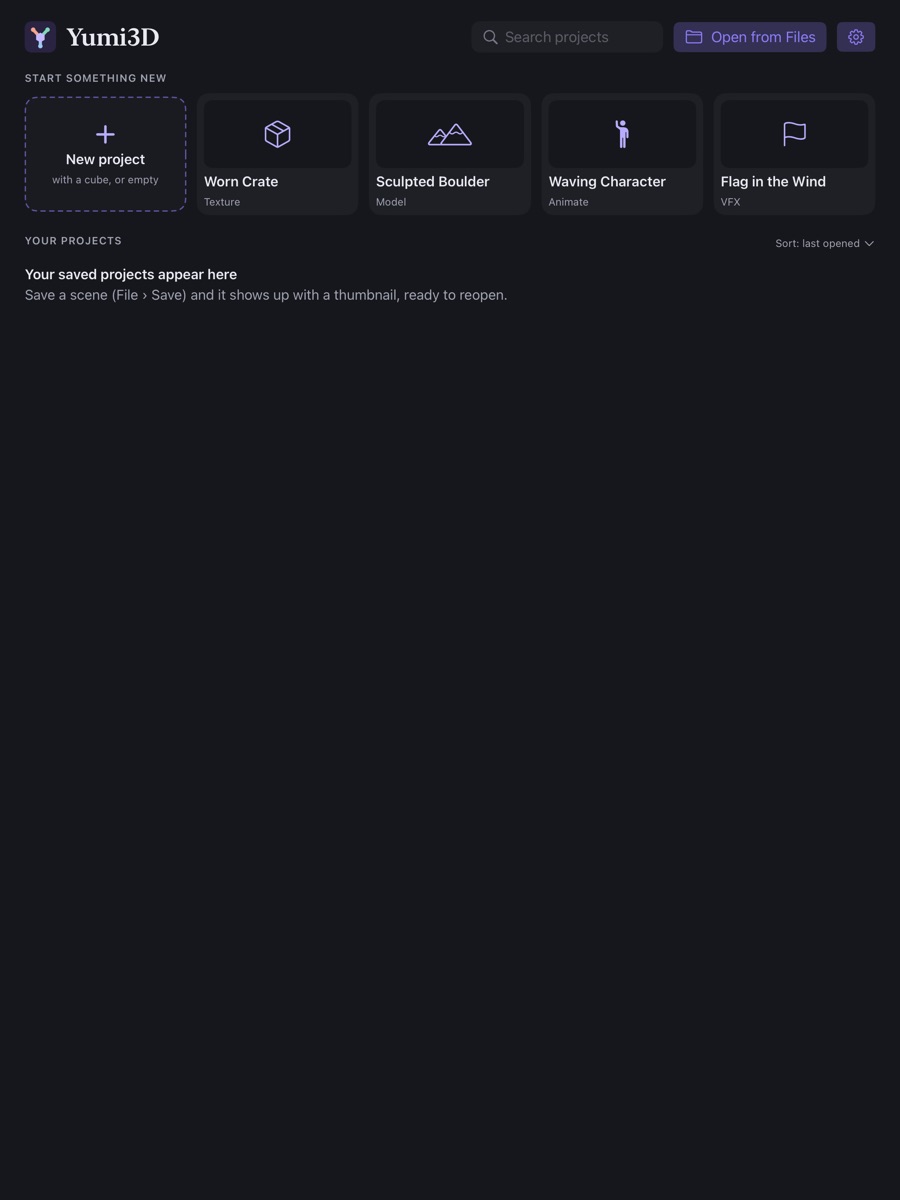
Open one of four sample scenes, a sculpted boulder, a worn crate, a waving character and a flag in the wind, to see each workspace in seconds.
What you need
- iPad
- M1 chip or later
- Software
- iPadOS 18 or later
- Apple Pencil
- Recommended, not required. Full finger support. Pencil Pro adds squeeze.
- Also works with
- Keyboard, trackpad, mouse, Stage Manager, Files and iCloud Drive
- Imports
- FBX · glTF · OBJ · USD · STL · PLY
- Exports
- FBX · glTF · USD · USDZ · OBJ · STL · PNG texture maps
Questions about Yumi3D
What is Yumi3D?
Yumi3D is a complete 3D studio for iPad, made for Apple Pencil and touch. You can model, sculpt, unwrap, paint, rig, animate, simulate and render in one app, then send your work anywhere in an industry-standard pipeline.
How much does Yumi3D cost? Is there a subscription?
$29.99 in the US, a one-time purchase (prices vary by country). One price, everything included: no subscription, no in-app purchases, no account and no ads.
Which iPads does Yumi3D work on?
Any iPad with an M1 chip or later running iPadOS 18 or later. Sculpting, baking and simulation need the memory of an M1-class iPad, so the App Store only offers Yumi3D on iPads that have it.
Can I use Yumi3D without an Apple Pencil?
Yes. Yumi3D has full finger support. By default one finger moves the camera and taps select. To sculpt and paint with a finger, turn on Settings › Touch › Draw with fingers. Two fingers still pan, pinch to zoom and tap to undo.
What does Apple Pencil add?
Pressure for sculpting and painting, hover to preview your brush before you touch the model, and on Apple Pencil Pro, squeeze to open the marking menu of the most-used commands.
Which file formats can I import?
FBX, glTF / GLB, OBJ, USD / USDZ, STL and PLY. Textures embedded in an FBX come in with the model. If a model arrives without its textures, keep the image files in the same folder as the model, or try a .glb or .usdz, which carry everything in one file.
Which formats can I export?
FBX, glTF, USD, USDZ, OBJ and STL. FBX, glTF and USD also carry skeletons, skin weights and animation. Texture maps export as PNG images for any renderer or game engine.
Can I use my models in Unity, Unreal, Godot or Blender?
Yes. Export FBX or glTF, which carry the mesh, skeleton, skin weights and animation, plus PNG texture maps. These are the standard formats game engines and other 3D apps read.
Can I 3D print what I make?
Yes. Export your model as STL or OBJ, the formats most slicers for 3D printers accept.
Can I sculpt a character and then animate it?
Yes, in the same app. Sculpt in Model, draw clean topology in Retopo, unwrap in UV, paint in Texture, fit a humanoid skeleton in Rig, then set keys in Animate. Your scene stays the same across every workspace.
Can Yumi3D render images and videos?
Yes. Render still images, turntables and animation videos right on your iPad.
Can I work on two projects at once?
Yes. With Stage Manager, each Yumi3D window holds its own project.
Where are my projects saved?
In the Files app under On My iPad › Yumi3D, and you can keep projects in iCloud Drive too. Projects are .yumi3d files and open straight from Files.
The app closed before I saved. Is my work gone?
Probably not. Yumi3D autosaves as you work, and the next time you open it, it offers to restore what you had.
How do I undo and redo by touch?
Tap with two fingers to undo and with three fingers to redo, or use the arrows in the toolbar. With a keyboard, ⌘Z and ⇧⌘Z work as usual.
Does Yumi3D work offline? Does it collect my data?
It works fully offline and never connects to the internet. There are no accounts, analytics, ads or tracking. Read the privacy policy.
How do I get help?
Email support@yumiartapps.com. Include your iPad model, iPadOS version and the Yumi3D version from Settings › About. If a model misbehaves, attach the project or the file you imported. You'll usually hear back within two working days.