
Drawing and painting app for iPad
Yumi 2D
A painting and drawing studio made for iPad and Apple Pencil. Sketch, ink, paint and animate in one app, with no account, no subscription and no ads. Your artwork never leaves your iPad unless you share it.
 $9.99 · No subscription · iPad with M1 or later, iPadOS 17 or later
A studio that fits in your bag
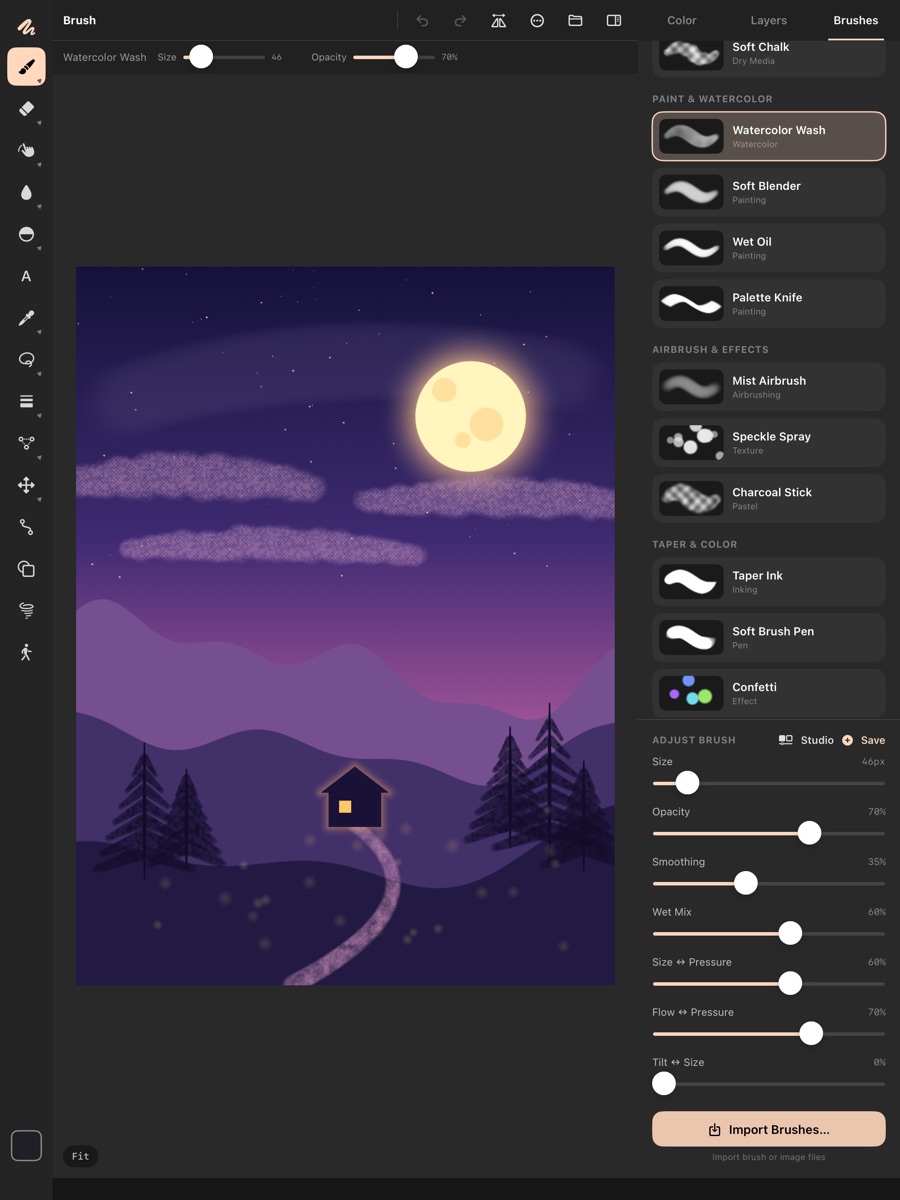
Tools on the left, brushes, layers and colour on the right, and each tool's options along the top.
Brushes that feel right
Pressure, tilt and a stabilizer on every brush, with a per-brush pressure curve. Wet paint that picks up and mixes the colours already on the canvas. Tapered strokes, colour jitter and two-tone brushes. Design your own in Brush Studio, or import brushes and textures.
Apple Pencil Pro ready
Hover to preview your brush before it touches the canvas. Squeeze for a quick palette, barrel roll to turn flat brushes, and double-tap to switch tools.
Layers like a pro
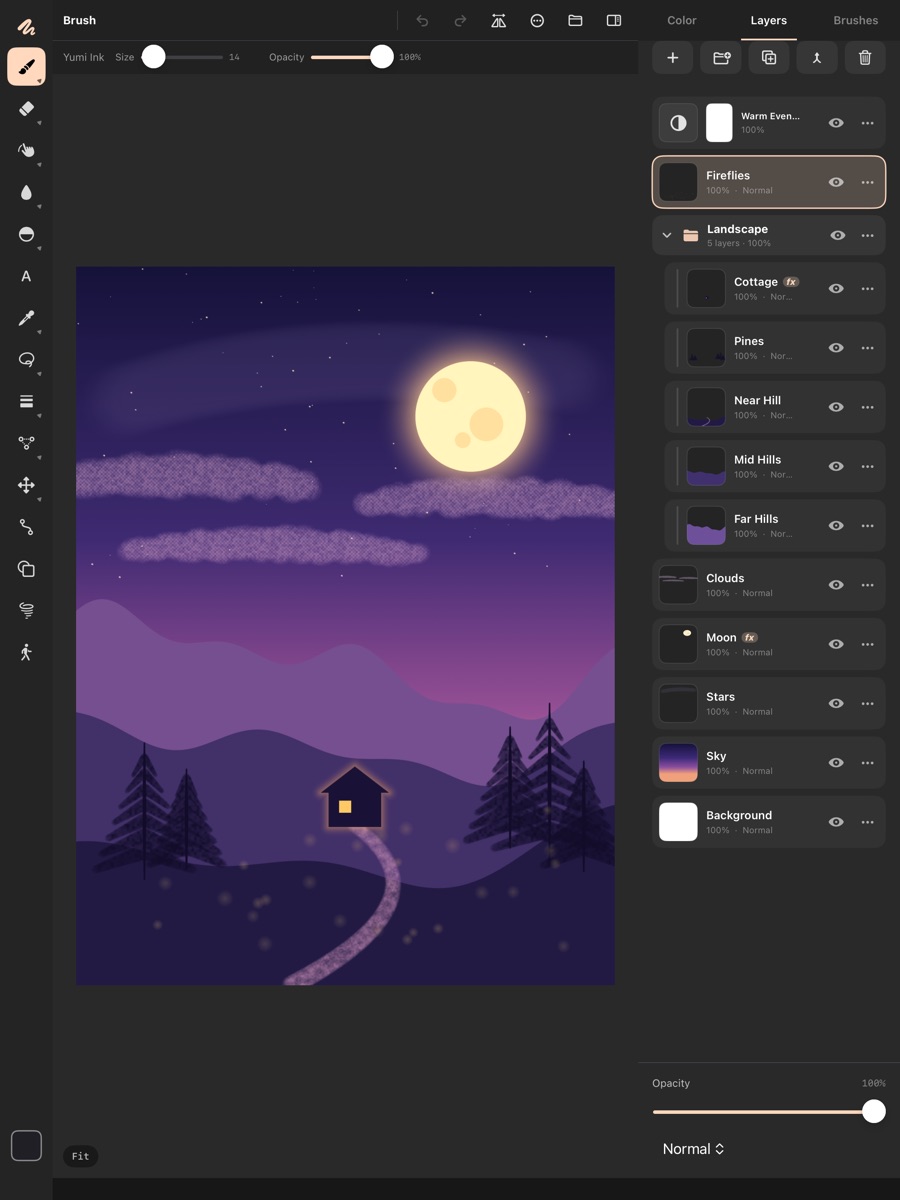
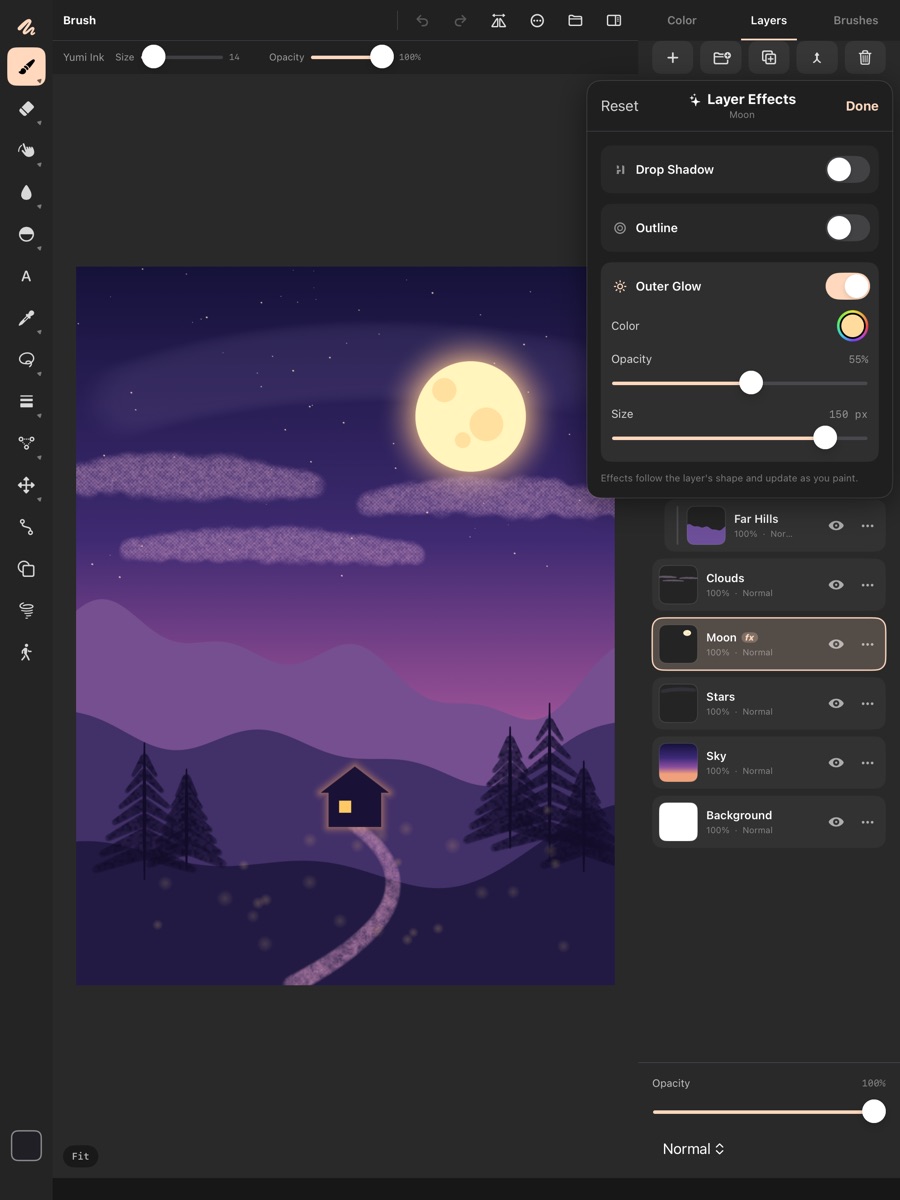
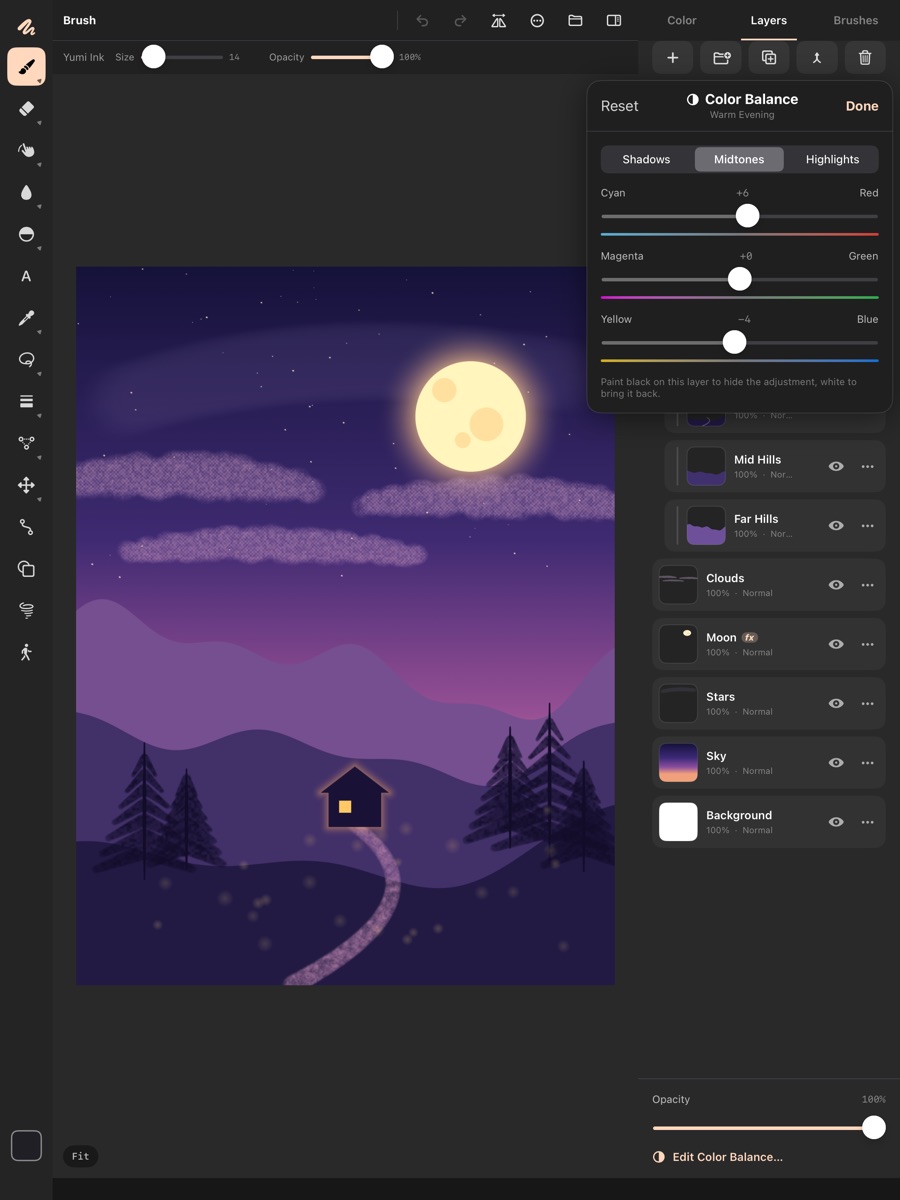
Groups, masks, clipping, alpha lock and 24 blend modes. Adjustment layers for Levels, Curves, Hue/Saturation, Color Balance, Gradient Map and more. Layer effects: drop shadow, outline and outer glow.
Draw with precision
Shapes, a bezier pen, and text that can follow a curve. Perspective, grid, ellipse and curve rulers. Mirror, radial and kaleidoscope symmetry.
Edit and finish
Selections, transform, warp and liquify. Filters, gradients and a colour wheel with harmonies. Crop, resize, rotate and flip the canvas, and a full history you can jump through.
Animate and share
Frame-by-frame animation with onion skin, exported as GIF or video. Timelapse recordings of your work. Export PNG, JPEG, TIFF, HEIC, PDF, SVG and layered PSD, and open PSD files too.
What you need
- iPad
- M1 chip or later: iPad Pro (2021 or later), iPad Air (2022 or later)
- Software
- iPadOS 17 or later
- Apple Pencil
- Recommended, not required. Pencil Pro adds hover, squeeze and barrel roll.
- Also works with
- Keyboard, trackpad, mouse and the Files app
- Opens
- PSD · PNG · JPEG · HEIC · .brush · .brushset · .abr · TTF · OTF
- Exports
- PNG · JPEG · TIFF · HEIC · PDF · PSD · SVG · GIF · video
Questions about Yumi 2D
What is Yumi 2D?
Yumi 2D is a painting and drawing studio for iPad and Apple Pencil. You can sketch, ink, paint and animate in one app, with natural brushes, professional layers and PSD support.
How much does Yumi 2D cost? Is there a subscription?
$9.99 in the US, a one-time purchase (prices vary by country). There's no subscription and no in-app purchases, so every feature is included.
Which iPads does Yumi 2D work on?
Any iPad with an M1 chip or later running iPadOS 17 or later. That includes iPad Pro (2021 or later) and iPad Air (2022 or later). Large canvases with many layers and effects need the memory and graphics of an M1-class iPad, so the App Store only offers Yumi 2D on iPads that have it.
Why can't I find Yumi 2D in the App Store on my iPad?
Your iPad probably has a chip older than M1. The App Store hides apps that a device can't run well. Check your model in Settings › General › About.
Do I need an Apple Pencil?
No. Fingers draw by default. If you'd rather keep fingers for moving around the canvas, choose Settings › Apple Pencil › One finger › Pan Only. Two fingers always pan, pinch and tap to undo. An Apple Pencil adds pressure and tilt.
Does it work with Apple Pencil Pro?
Yes. Hover previews your brush before it touches the canvas, squeeze opens a quick palette, barrel roll turns flat brushes, and double-tap switches tools.
Can I import my Procreate or Photoshop brushes?
Yes. Use Import Brushes in the Brushes panel. Yumi 2D reads Procreate .brush and .brushset files and Photoshop .abr files and brings over each brush's shape and grain. Any PNG or JPEG can become a brush tip too. Fine-tune how an imported brush responds to pressure in Brush Studio.
Can I open and save Photoshop (PSD) files?
Yes. Yumi 2D opens PSD files and exports layered PSD. Layer effects are saved as their own layers. Adjustment layers can't stay live inside a PSD, so they're included in its flattened preview.
Which file formats can I import and export?
- Import: PSD, PNG, JPEG, HEIC, brush and texture files, and fonts (TTF, OTF).
- Export: PNG, JPEG, TIFF, HEIC, PDF, layered PSD and SVG, plus animations as GIF or video.
Can I animate in Yumi 2D?
Yes. Frame-by-frame animation with onion skin, exported as GIF or video. Yumi 2D can also record a timelapse of your painting.
Does Yumi 2D have rulers and symmetry?
Yes. Perspective, grid, ellipse and curve rulers keep lines straight and in perspective. Mirror, radial and kaleidoscope symmetry repeat your strokes as you draw.
Where are my drawings saved?
In the Files app under On My iPad › Yumi 2D, where you can back them up, AirDrop them or move them to iCloud Drive. Projects are .yumi files.
The app closed before I saved. Is my work gone?
Probably not. Yumi 2D saves every 45 seconds while you draw, when you leave a canvas and whenever the app goes to the background. It reopens your last project the next time you start it.
Can I use a keyboard, trackpad or mouse?
Yes. Yumi 2D supports keyboard shortcuts such as ⌘Z, ⌘C and ⌘V, and works with a trackpad or mouse.
Does Yumi 2D work offline? Does it collect my data?
It works fully offline and never connects to the internet. There are no accounts, analytics, ads or tracking. Read the privacy policy.
Is Yumi 2D good for beginners?
Yes. The gestures are the ones iPad artists already know: two-finger tap to undo, three-finger tap to redo, pinch to zoom and rotate. File › Tips & Gestures shows them again any time.
How do I get help?
Email support@yumiartapps.com. Include your iPad model, iPadOS version and the Yumi 2D version from Settings › About. You'll usually hear back within two working days. See Support for more.